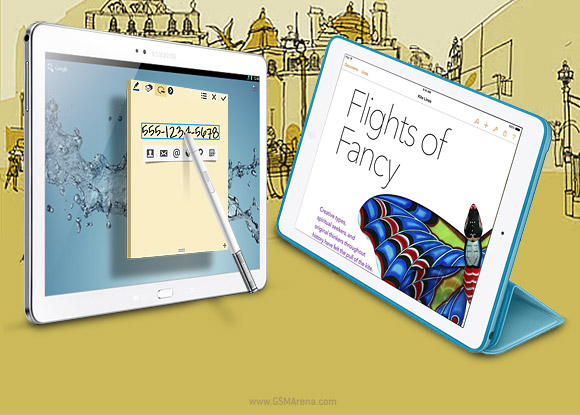
With the smartphone market driven towards equilibrium, tablets will
be the new battleground. The Apple iPad Air and the Samsung Galaxy Note
10.1 2014 emerge as the archrivals in the 10-inch category, marching
towards their inevitable clash.
Casual browsing and gaming have long been the strong suit of tablets,
but in the post-PC era they have a big issue to deal with - content
creation. The Galaxy Note 10.1 2014 addresses this with the S Pen stylus
and a number of productivity apps linked to it, while Apple keeps
pushing ease-of-use and unmatched user experience as the biggest
advantage.
Simple spec by spec comparisons like this don't usually tell the
whole story - this article would've been much shorter if they did.
Instead, we'll be looking at the two contenders from a use-case point of
view - which one is best for a specific task.
Obviously, we'll need to start with the basics like how good the
hardware is, will the battery last you the full work day and so on. And
things will only get more focused after that. Which tablet is best for
multimedia consumption? What about gaming? Which one will give you the
most in terms of productivity? Are the cameras just decorations or
actually usable?
We've already dealt with these things to a degree. The S Pen on the
Samsung Galaxy Note 10.1 2014 fills the void left by the lack of a mouse
- yes, tablets are all about touch but computer mice have long provided
us with accuracy and additional control options that fingers just don't
have.
Apple killed the stylus in the first place and is not about to bring
it back. Instead, Cupertino offers a first-rate experience within its
own ecosystem. Office suite, maps, cloud, even music creation, all Apple
made. Samsung on the other hand outsources much of that to Google,
Polaris Office, Dropbox and so on.
The first round will be fought over hardware - the build, the looks, the good and the bad - right on the next page.
Hardware comparison
Tablet design by its very nature is defined first and foremost by the
screen and here the two tablets seem fundamentally different. Apple
sticks to the original 9.7" screen of 4:3 aspect ratio, while Samsung
uses the common 16:10 10.1" screen format.
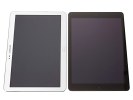
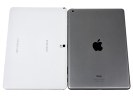
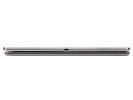 Size comparison: Samsung Galaxy Note 10.1 2014 and Apple iPad Air
Surprisingly, the two tablets are aren't that different in size - the
Apple iPad Air measures 240 x 169.5 x 7.5, while the Samsung Galaxy
Note 10.1 2014 is a bit bigger on the sides, 243.1 x 171.4 x 7.9 mm.
Thin, iPad mini-like bezels is what allowed Apple to make the square-ish
screen fit into the body of a widescreen tablet.
The difference in screens is nonetheless profound, and it will be properly covered in the next chapter.
Screens aside, the two tablets differ in something as simple as
orientation - the button and front-facing camera placement of the iPad
Air favor portrait usage, while those of the Galaxy Note 10.1 2014 lean
towards landscape. Obviously you can use both tablets either way, but
you'll find yourself sticking to the manufacturer-suggested orientation
most of the time.
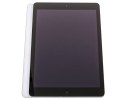
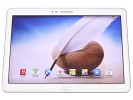 The iPad Air favors portrait orientation • the Note 10.1 2014 prefers landscape orientation
To be honest, we prefer on-screen buttons on tablets as they offer more flexibility and rotate with the rest of the screen.
Anyway, the wide-screen Galaxy Note 10.1 2014 shows its multimedia
nature with two loudspeakers positioned on the left and right side of
the tablet. This creates a a more immersive audio experience than the
stereo speakers on the iPad Air, which are both located at the bottom
(or rather on the side as you'll be watching videos in landscape
orientation). The Samsung tablet also pulls ahead with audio
enhancements from SoundAlive and Adapt Sound technologies.
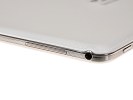
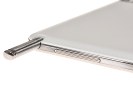
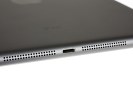 Stereo speakers on the Galaxy Note 10.1 2014 • stereo speakers on the iPad Air too
The multimedia aspect is also seen in the addition of a microSD card
slot. Sure, you can get a 128GB iPad Air, while the Galaxy Note 10.1
2014 tops out at 64GB of built-in storage, but let's be honest- a 128GB
Air costs an insane amount of money. 64GB microSD cards are around $50 a
pop, so a 16GB Note 10.1 2014 is still an option for heavy multimedia
consumers. A cheap option at that, Apple charges a $100 premium every
time the built-in storage doubles.
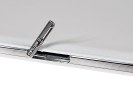 microSD card slot on the Galaxy Note 10.1 2014
The front-facing camera on the iPad Air is in the middle of one of
its short sides, similar to the placement on the iPhone. This is good
for one-on-one video chatting and selfies. The camera on the Galaxy Note
10.1 2014 is positioned near the middle of one of its long sides, which
fits the widescreen better with multiple people involved.
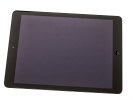
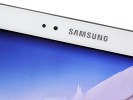 The front-facing cameras are positioned differently on the two tablets
And while you're holding the Note 10.1 2014 horizontally, you'll
notice the IR blaster at the top. It can control home equipment like
TVs, disc players and set top boxes, placing it in charge of your home
theater setup. At the very least, you have the option to change the
channel if you're on the tablet while the TV runs in the background, a
scenario that is probably well familiar to most users.
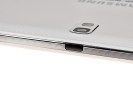 The IR blaster on top of the Galaxy Note 10.1 2014
On the connectivity side, Apple uses the proprietary Lightning
adapter, which can be plugged in regardless of the orientation. However,
microUSB cables are far more common than Lightning cables, which you'll
feel instantly if you need to borrow a cable. They are also much
cheaper if you need to get a second one for the office.
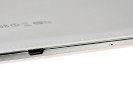 Lightning adaptor on the iPad Air • microUSB port on the Note 10.1 2014
The iPad Air connector boasts TV Out functionality, though you'd need
an adapter. Still, it's a great option to have - either for watching
movies or for doing presentations. The upside of the Note 10.1 2014's
microUSB port is that you can plug in peripherals like external storage,
keyboards and mice if you get a USB OTG cable (those are quite cheap
and easy to find). With the proper adapter you can get HDMI out too.
Speaking of connectivity, both tablets come in either Wi-Fi only or
4G LTE versions. The Apple iPad Air has only one 4G LTE version, which
covers 3G UMTS, CDMA and 4G LTE. The Samsung Galaxy Note 10.1 2014 comes
in 3G (powered by a Samsung Exynos chipset) and 4G (powered by
Snapdragon 800). Note that the 4G LTE on the Samsung is Cat. 4, which
offers downlink speeds of up to 150Mbsp, over the Cat. 3 of the iPad,
which tops out at 100Mbps. But neither Note 10.1 2014 version has CDMA
connectivity, which limits the choice of carriers for North American
users.
Apple's iPads have always had aluminum unibodies, but the one on the
iPad Air is the best yet, by far. It's the slimmest too (iPad 3 and 4
were thicker than 2, Air is thinner than 2) and noticeably lighter. The
thinner side bezels help a great deal in handling the tablet, but it's
still a two-hand device. Then again, so is the Note 10.1 2014. Anyway,
the aluminum design of the iPad Air is attractive and isn't out of place
anywhere.
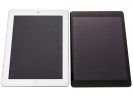
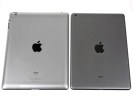
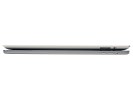
 iPad 3 next to iPad Air
Samsung's designs are best known for their glossy plastic but the
2014 edition of the Galaxy Note 10.1 2014, just like the Galaxy Note 3,
has a faux-leather back. It feels reasonably close to leather to the
touch and looks pretty attractive. Less subjectively, the textured
plastic feels warmer and offers more grip than the naked metal of the
iPad.
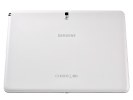
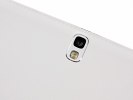
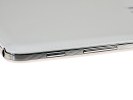
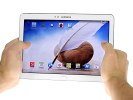 The Galaxy Note 10.1 2014 design has a new leather and metal look (but both are plastic)
Winner: Samsung Galaxy Note 10.1 2014. It was close, but the Note
10.1 2014 is more flexible in terms of storage, has better connectivity
(unless you're a Verizon or Sprint user), including an IR blaster.
Some will prefer the metal looks of the Apple iPad Air and maybe
value wired TV-Out over cheap storage. North American users also have to
consider the CDMA support, unless they're looking for a Wi-Fi tablet.
The Galaxy Note 10.1 2014 design has a new leather and metal look (but both are plastic)
Winner: Samsung Galaxy Note 10.1 2014. It was close, but the Note
10.1 2014 is more flexible in terms of storage, has better connectivity
(unless you're a Verizon or Sprint user), including an IR blaster.
Some will prefer the metal looks of the Apple iPad Air and maybe
value wired TV-Out over cheap storage. North American users also have to
consider the CDMA support, unless they're looking for a Wi-Fi tablet.
Displays
The Apple iPad Air has a 9.7" IPS LCD with a resolution of 2,048 x
1,536 pixels, which works out to 264ppi. It's covered by
scratch-resistant glass with oleophobic coating.
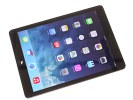 Two beautiful LCD screens
The Samsung Galaxy Note 10.1 2014 has 10.1" Super Clear LCD of 2,560 x
1,600 resolution for a higher 299ppi. There's no mention of
scratch-resistance though. It does have an additional digitizer, which
is used with the S Pen - it can detect it from several inches away and
will detect presses of the S Pen's button, even though the stylus
doesn't have a battery.
You'd think that because the Note 10.1 2014 screen has a 0.4" bigger
diagonal, the Samsung tablet has an advantage in screen real estate. Due
to the different aspect, however, that's not the case - the difference
is negligible, around 1%.
That's not always the case though, sometimes how much of the screen
is actually used depends on the content. Most photos, for example, have a
4:3 aspect, matching the iPad perfectly. Recently, many cameras default
to 16:9 though, which would fit the Galaxy Note 10.1 2014 better. Same
goes for most video content, which is 16:9, even movies you got from
mobile-centric video stores.
A 4:3 screen is better suited for text and documents - an A4 page is
pretty close to a 4:3 aspect ratio. Even web pages mostly have
relatively narrow columns, which fit portrait screens quite well - in
this orientation, the iPad Air screen is wider than the Note 10.1 2014's
giving you the opportunity to zoom in closer and get bigger text.
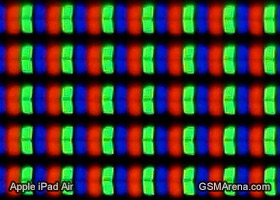
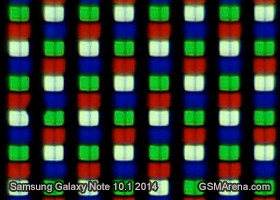
While the high pixel density makes it impossible to see individual
pixels, the pixels on the iPad Air screen and the Galaxy Note 10.1 2014
screen are quite different when viewed under a microscope. The iPad has a
standard RGB matrix, while the Galaxy tablet has an RGBW matrix, which
should in theory improve brightness.
The results show the reality is quite the opposite, however, the iPad
Air is brighter than the Note 10.1 2014 and has better contrast across
the brightness range. Black levels go from equal at full blast, to
noticeably better for the iPad as the brightness goes down.
| Display test |
50% brightness |
100% brightness |
| Black, cd/m2 |
White, cd/m2 |
Contrast ratio |
Black, cd/m2 |
White, cd/m2 |
Contrast ratio |
| Apple iPad Air |
0.19 | 181 | 968 |
0.53 | 508 | 964 |
| ASUS Transformer Pad TF701T |
0.40 | 450 | 1125 |
0.71 | 755 | 1119 |
| Samsung Galaxy Note 10.1 2014 |
0.27 | 221 | 831 | 0.53 | 440 | 821 |
| Google Nexus 10 |
0.26 | 223 | 859 | 0.50 | 443 | 878 |
| Sony Xperia Tablet Z |
- | - | - | 0.53 | 531 | 996 |
| Sony Xperia Tablet S |
0.35 | 334 | 947 | 0.67 | 526 | 783 |
| Samsung Galaxy Note 3 |
0 | 149 | ∞ | 0 | 379 | ∞ |
| Apple iPad mini |
0.25 | 208 | 838 | 0.51 | 458 | 812 |
| Apple iPad 3 |
0.21 | 167 | 809 | 0.6 | 477 | 779 |
| Apple iPad 4 |
0.21 | 163 | 797 | 0.63 | 476 | 762 |
| Samsung Galaxy Tab 7.7 |
0 | 200 | ∞ | 0 | 328 | ∞ |
| Asus Google Nexus 7 |
0.25 | 244 | 954 | 0.36 | 327 | 908 |
| Samsung Galaxy Note 10.1 |
0.27 | 223 | 832 | 0.49 | 406 | 821 |
| Samsung Galaxy Tab 10.1 |
0.31 | 257 | 826 | 0.55 | 502 | 915 |
| Samsung Galaxy Tab 7.0 Plus |
0.17 | 196 | 1141 | 0.34 | 424 | 1236 |
Viewing angles are excellent for both tablets and color reproduction
is very pleasing. The Samsung Galaxy Note 10.1 2014 has a slight edge
here with the proprietary Screen mode option. It gives you three options
to adjust the color profile of the screen (it changes saturation and
white balance), plus an automatic mode, which adjusts the screen based
on the current image or video.
It's not as flexible as the Nokia Lumia color profile, which has not
one but two sliders - one for saturation and another for white balance -
but it's better than nothing. Apple uses multiple suppliers for its
screens, so getting a warm or a cold screen is a matter of luck.
Winner: Tie. Widescreen has conquered everything from phones
through tablets and laptops all the way to large TVs, so most content
targets that aspect. The higher pixel density (even with the unusual
matrix) and the adjustable screen modes are enough to put the Note 10.1
in pole position.
The Apple iPad Air however has a slightly brighter screen with a
better contrast, plus the 4:3 aspect ratio is good for text, so it's up
to personal preference here.
Battery life
The two tablets are powered by sealed Li-Po batteries of similar
capacity. The Apple iPad Air has a slight advantage with its 8,820mAh
battery, while the Samsung Galaxy Note 10.1 2014 has a 8,220mAh juice
pack.
Note that the Galaxy tablet screen is a bit brighter than the iPad
Air when both are set at 50% brightness (which is what we use for the
test). Even so, the advantage of the iPad is more than can be explained
with simple brightness alone. There's that extra 600mAh, but that's
insignificant compared to the total.
Web browsing over Wi-Fi drains the battery quite slowly, the iPad Air
lasted over 10 hours of that. The Galaxy Note 10.1 2014 failed to crack
8 hours. That's a good 30% advantage for the Apple tablet in such a key
area.
Web browsing
-
ASUS Transformer Pad w/ Dock
13:48
-
Acer Liquid E2
12:39
-
LG G2
11:22
-
Sony Xperia ZR
11:20
-
Apple iPad mini 2
10:47
-
Apple iPad Air
10:10
-
Samsung Galaxy S4 mini duos
10:10
-
BlackBerry Q5
10:04
-
HTC One
9:58
-
Apple iPhone 5s
9:58
-
Apple iPhone 5
9:56
-
Galaxy Note 10.1 2014 Edition
7:39
-
Samsung Galaxy Nexus
3:01
The margin grows in the video playback test, with the Apple iPad Air
almost reaching 13 hours, while the Samsung Galaxy Note 10.1 2014 gave
up after 9 hours. Granted, the Note 10.1's screen is better suited for
widescreen video, but 4 hours is a massive difference.
To put things in perspective, if both tablets start playback at the
same time at full charge, the iPad will still have over 30% left in the
tank by the time the Note 10.1 dies.
Video playback
-
Motorola RAZR MAXX (ICS)
16:35
-
Nokia Lumia 1020
13:12
-
Samsung Galaxy S4 mini
13:12
-
Samsung Galaxy S4 mini duos
12:52
-
Apple iPad mini
12:51
-
Samsung Galaxy Premier
12:51
-
Apple iPad Air
12:49
-
Samsung Galaxy S4 GPE
12:32
-
Samsung Galaxy S4 (S600)
12:30
-
BlackBerry Q5
12:28
-
Apple iPad mini 2
12:22
-
Huawei Ascend Mate
12:18
-
Galaxy Note 10.1 2014 Edition
9:02
-
Nokia Lumia 710
3:27
We suspect the custom designed chipset by Apple and the brand new
screen backlight (using just 36 LEDs instead of 84 on the iPad 4) are
very much to thank for the excellent results. We'll see later on if the
Galaxy Note 10.1 2014 can compensate with better performance of its
Snapdragon 800 chipset.
User interface
The user interface of a tablet can greatly affect the user
experience. Since both Apple and Samsung have overwhelming presence on
the market, you probably have at least passing familiarity with both
UIs. Still, here are a couple of hands-on videos to refresh your memory.


 SAN
FRANCISCO: A federal judge Thursday rejected Apple's request to ban an
array of Samsung smartphones and tablets found to have infringed on
patents held by the US tech giant.
SAN
FRANCISCO: A federal judge Thursday rejected Apple's request to ban an
array of Samsung smartphones and tablets found to have infringed on
patents held by the US tech giant.