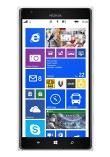
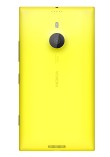
Lagging behind Android in hardware specs for what seemed like ages,
WP8 managed to catch up in one fell swoop. With the Lumia 1520 at the
spearhead, Nokia evened the playing field with a massive 1080p screen
and a Snapdragon 800 chipset, then tilted it in its favor with a 20MP
OIS-enabled PureView camera.
The Lumia 1520, along with the midrange Lumia 1320, are the first
Nokia-made phablets and the first for Windows Phone 8 altogether. The
1320 has last year's hardware though, unlike the Lumia 1520, which is
virtually on par with the best Android flagships.
Windows Phone's market share is rising - it's a distant third at the
moment - but it's the low-end devices like the Lumia 520 making up the
bulk of that growth. Meanwhile flagships have failed to make much of a
splash and even the Lumia 1020 isn't exactly flying off the shelves. Can
the 1520 be the first flagship WP8 device to claim a piece of market
share matching its size?
It certainly has all the right ingredients. Windows Phone is known
for simplicity and efficiency - it runs smoothly on much less powerful
hardware and doesn't bury you under a mountain of gimmicky features like
some Android smartphones do. The Lumia 1520 does pack the latest
Windows Phone 8 updates - GDR3 and Nokia Black, so there are further
improvements over previous WP devices we've handled.
The screen is pleasantly crisp - only made possible by the jump to
1080p resolution - and features Nokia's ClearBlack tech, which provides
some of the best viewing under direct sunlight. The Nokia PureView
camera is equally responsible for some of the best cameraphone
experience ever.
In terms of imaging, this is midway between the Lumia 1020 and the
920. The sensor is bigger than most, but not so big that it takes a hump
to accommodate, while it still packs enough resolution for Nokia's
supersampling magic. There's optical image stabilization too, which is a
confident display of superiority over the non-stabilized cameras on
competing phablets. There's no xenon flash on the Lumia 1520, but that
would have required room for another bulky component.
Software is the only place the Nokia Lumia 1520 can stumble - WP8 is
still young compared to Android and iOS, which have been around for a
few years longer. But before we have a look at that, we'll discuss the
hardware and the screen of Nokia's phablet on the next page.
360-degree spin
The Nokia Lumia 1520 is inevitably a large device, the 6" screen
alone is huge for a pocketable device. That said, it's actually
reasonably sized for what it is - it measures 162.8 x 85.4 x 8.7mm and
weighs 209g. Put that next to the HTC One Max with a 5.9" screen, which
stands at 164.5 x 82.5 x 10.3mm and weighs 217g, despite the 0.1"
smaller screen.
Design and handling
The Lumia design has been pretty much set in stone though there are
some variations. The Nokia Lumia 1520 is actually very similar to the
Lumia 925. The difference to the Lumia 1020, for instance, is that the
top and bottom edges are rounded rather than flat. Other than that, the
rectangular look and beveled sides are unmistakable trait of the Lumia
line since its inception.
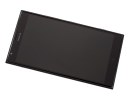
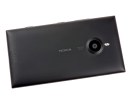 Familiar Lumia design
Phablets are pushing the limits of what can be considered pocketable
and comfortable for one-handed use. That said, the Lumia 1520 is not the
biggest - as we said the HTC One Max is a tad taller and heavier, while
the Samsung Galaxy Mega 6.3 is tangibly bigger.
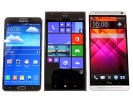
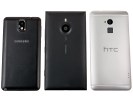
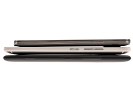
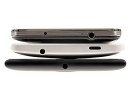 Size comparison: Samsung Galaxy Note 3, Nokia Lumia 1520, HTC One Max
Those have some software features to help with one-handed use tough,
which mostly amount to squishing keyboards (i.e. the on-screen QWERTY
and the dialer) in the corner so you can reach buttons with your thumb.
Windows Phone lacks such options and the Lumia 1520's large screen will
have some people limited to two-thumb typing.
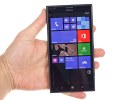
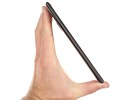 The Lumia 1520 feels big in the hand
The phablet maintains the capacitive Back, Home and Search buttons
just like other phablets (One Max, Galaxy Note 3 and Galaxy Mega 6.3).
Above the screen is a 1.2MP/720p front-facing camera along with an array
of sensors. The front of the phablet is almost entirely covered with
Gorilla Glass 2, which coats the screen, the capacitive keys and front
camera.
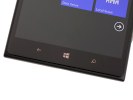
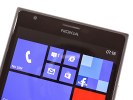 Capacitive keys below the screen • front-facing camera and sensors above the screen
The basic layout of the other hardware controls is unchanged - all
buttons are on the right side, starting with the volume rocker on top,
then the power key and finally the two stage shutter key. Those keys
have been moved down so they are easy to reach with your thumb (though
volume up is a bit of a stretch).
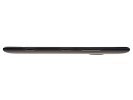
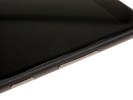 Hardware keys on the right side
The left side of the Lumia 1520 holds the nanoSIM card and the
microSD card slots. Those have to be opened with a dedicated tool, which
might be a hindrance if you swap memory cards often. Still, we're
always glad to see expandable storage, especially on devices with high
resolution screens, high megapixels and monster chipsets.
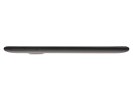
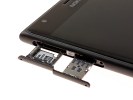 nanoSIM and microSD card slots on the left
The bottom of the phablet features a regular microUSB 2.0 port, while
the 3.5mm audio jack is smack in the middle of the top side.
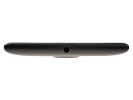
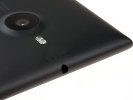
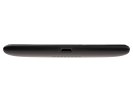
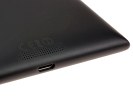 3.5mm audio jack • microUSB 2.0 port
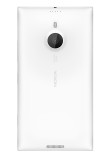
It's the back of the Nokia Lumia 1520 that's quite interesting. The
20MP PureView camera with ZEISS lens and optical image stabilization
protrudes slightly from the back, but less so than the Lumia 1020's
camera. Keep in mind that the 1520 is 1.7mm thinner than the 1020 too,
using a smaller sensor has really helped Nokia keep that unsightly hump
in check.
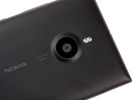 The back of the Nokia Lumia 1520 • PureView camera with ZEISS lens and dual-LED flash
Aside from the sensor size - 1/2.5" vs. 1/1.5" - there has been
another concession made, there is no xenon flash but a dual-LED light
instead. Still, the sensor is relatively big (around 45% bigger than the
common 1/3" sensors), which combined with OIS should still make for
some great low-light shots.
The Nokia Lumia 1520 phablet has a whopping four microphones, a pair
on the front and another two on the back. On the front, there's one
below the screen and one near the earpiece. On the back, there's one
above the LED and one inside the loudspeaker grille. The mics in each
pair are sufficiently wide apart, so you can expect great stereo sound
capture from both the back and the front camera. The mics also include
Nokia's proprietary HDR tech and Bass filter option.
The battery in the Lumia 1520 is sealed, but it has the reasonably
big capacity of 3,400mAh. The phablet comes with built-in wireless
charging, something that was dropped from the 1020. We'll leave the
proper battery test for the complete review, but official numbers
promise a month of standby, over a full day of calls or just over 5 days
of music playback.
Display
The Nokia Lumia 1520 has a 6" IPS LCD screen of 1080p resolution, the
pixel density works out to 367ppi. The LCD assembly incorporates
Nokia's ClearBlack tech - a set of polarizing filters, which minimize
glare. Plus, Gorilla Glass 2 on top for protection.
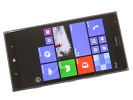 The 6" IPS LCD on the Lumia 1520
The capacitive touch sensor on the display features the
supersensitive touch technology that allows it to detect fingers even
through winter gloves.
The 1520 comes with the Lumia Color Profile option in the settings,
which gives you two sliders to play with - one for color temperature
(which spans the cool, neutral and warm range) and color saturation
(natural to vivid).
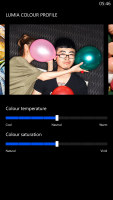
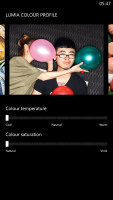
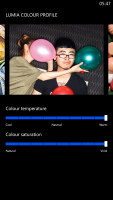
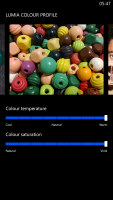 Lumia Color Profile settings
Nokia Glance screen keeps the clock and notification counters visible
even after you lock the screen. This could be set to appear only for a
little while after you lock the screen, intermittently on and off and
always on. There's a separate always on setting for when the device is
charging. A Night mode allows you to pick a different color for the
Glance screen info - Red, Green or Blue - if the default White setting
is too bright for your sleepy eyes.
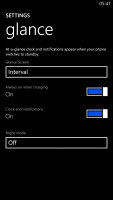
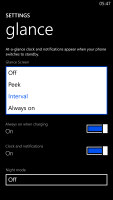
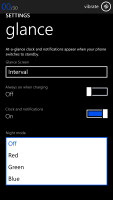 Nokia Glance Screen settings
One new option in GDR3 is the screen rotation lock. That's an
important feature for a phablet, but unfortunately it's only accessible
from the Settings menu, which means you have to leave the app you are in
to change it, there are no quickly accessible toggles here (this is a
common problem for any settings in Windows Phone).
As we already mentioned, the Lumia 1520 screen is tack sharp. Due to
its large diagonal, pixel density drops below 400ppi, but 367ppi is
still better than what most people's eyes can resolve, especially when
you consider you tend to hold a phablet further away from your eyes than
a phone.
The viewing angles are pretty good with only a minor shift in
contrast when viewed at an extreme angle. Color rendering is good and,
as an added bonus, you can tweak the white balance and saturation to
your liking. The one weak spot of the display is the black levels, which
are not as great as on AMOLED, but the overall contrast is still pretty
great.
| Display test |
50% brightness |
100% brightness |
| Black, cd/m2 |
White, cd/m2 |
Contrast ratio |
Black, cd/m2 |
White, cd/m2 |
Contrast ratio |
| HTC One Max |
0.14 | 224 | 1591 | 0.40 | 629 | 1572 |
| Samsung Galaxy Note 3 |
0 | 149 | ∞ | 0 | 379 | ∞ |
| Sony Xperia Z1 |
- | - | - | 0.38 | 580 | 1513 |
| Nokia Lumia 1520 |
0.22 | 263 | 1174 | 0.43 | 522 | 1207 |
| Nokia Lumia 1020 |
0 | 172 | ∞ | 0 | 398 | ∞ |
| Nokia Lumia 920 |
- | - | - | 0.48 | 513 | 1065 |
| Sony Xperia Z Ultra |
- | - | - | 0.47 | 467 | 1001 |
| Sony Xperia Z |
- | - | - | 0.70 | 492 | 705 |
| Huawei Ascend Mate |
0.23 | 222 | 982 | 0.67 | 711 | 1053 |
| Samsung Galaxy Mega 6.3 |
0.12 | 160 | 1364 | 0.32 | 440 | 1379 |
| Samsung I9505 Galaxy S4 |
0 | 201 | ∞ | 0 | 404 | ∞ |
| HTC Butterfly S |
0.15 | 165 | 1117 | 0.43 | 451 | 1044 |
The ClearBlack tech does help minimize reflectivity. The relatively low brightness however hurt the outdoor performance.
Sunlight contrast ratio
-
Nokia 808 PureView
4.698
-
LG G2
1.976
-
Sony Ericsson Xperia ray
1.955
-
Samsung Galaxy Camera
1.938
-
HTC Butterfly
1.873
-
Huawei Ascend P6
1.865
-
Nokia Lumia 1520
1.813
-
Sony Xperia V
1.792
-
Sony Xperia U
1.758
-
Meizu MX3
1.754
-
LG Optimus 4X HD
1.691
-
HTC One V
1.685
-
Samsung Galaxy mini 2
1.114
User interface is mostly the same
The Nokia Lumia 1520 comes with Windows Phone 8 GDR3 (the Lumia Black
edition) out of the box. GDR3 and Black are software updates that add a
handful of new features, but most importantly bring support for 1080p
screens and the Snapdragon 800 chipset, without which the 1520 would've
been impossible.
That said, the user interface is virtually unchanged on the new
Windows Phone version. Yes, you can fit more Live Tiles per row on the
homescreen (6 from the smallest ones, up from 4), but that turned out to
be a function of the screen size rather than a Lumia Black specific feature. There are a couple of other changes, we'll get to those in a minute.